
Effortless project management made from tools where the work already happens.
You already think through problems in Claude or ChatGPT. You already have your meetings recorded. Quiker turns both into one project record — built automatically, wherever the work happens.
Trusted by +25.000 users worldwide






Everything you need to stay current
Plan it in conversation, or let it build itself. Either way, Quiker keeps the project record current without manual entry.
Build in Conversation
Plan a project — scope, backlog, sprints — by talking it through inside Claude or ChatGPT. What you decide becomes the project record as you go, without switching to a separate tool.
Notetaker Integration
Quiker reads your Fireflies transcripts and extracts decisions, owners, and scope changes into the project record automatically. By the time the call ends, the record is already updated.
One Framework
Scope, backlog, kanban, gantt, meeting records, and decision logs — populated from every conversation and every meeting, whether you built it or Quiker captured it. No manual entry.
Real-Time Reporting
Because the framework builds itself throughout the project, there is no preparation step before a status update. The report was being assembled the whole time.
Grounded in Your Data
Ask a question about your portfolio in natural language and get an answer grounded in real project data — not a generic AI response.
No Migration
You keep Fireflies, your LLM, and your existing workflows. Quiker organizes what those tools already produce. No replacement, no switching cost.
Built for Program Managers
The PM stops maintaining the record and starts using it. The functional leader stops chasing updates and starts reading them.
How it works
Quiker turns what your team is already doing into a live project record.
Build it in conversation, or let it build itself
Plan inside Claude or ChatGPT — go from scope to backlog to sprints just by talking. Or let Quiker capture it from your meetings.
Everything lands in one record
However it was created, every scope decision, task, and owner is organized into the same framework — scope, backlog, kanban, gantt, decisions.
You report instantly
Your director asks how the project is going. You open Quiker. The answer is already there.
The record builds itself from your next meeting forward.
Connect your Fireflies account and describe your first project. No migration. No manual setup.
See it from inside
A walk through the surfaces your team will actually use.
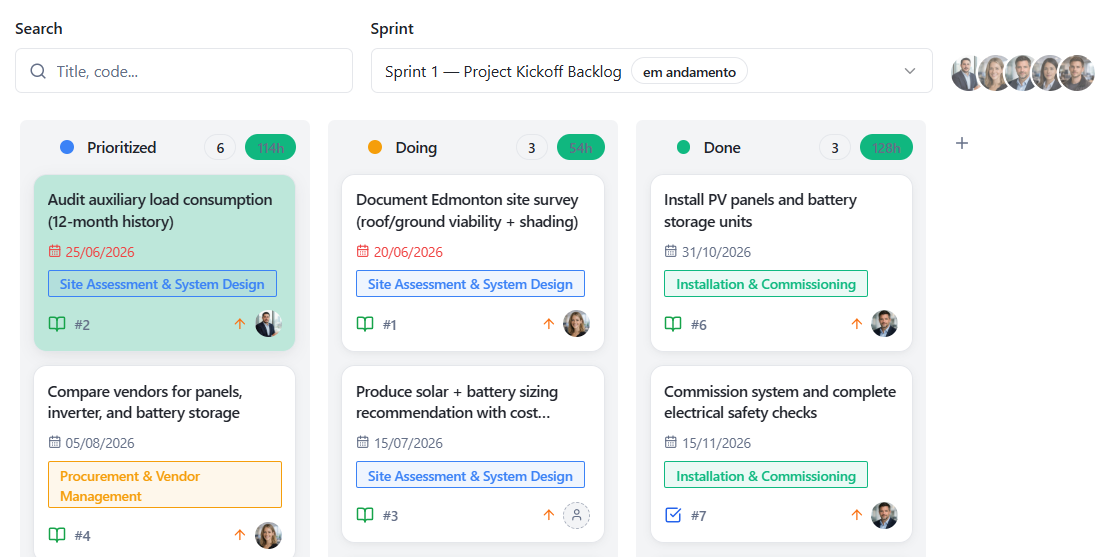
Your board doesn't wait for you to update it.
Every card on the board reflects what's already been decided and done — not what someone remembered to move. Priority, owner, and due date show up because the work happened, not because someone stopped to fill it in.
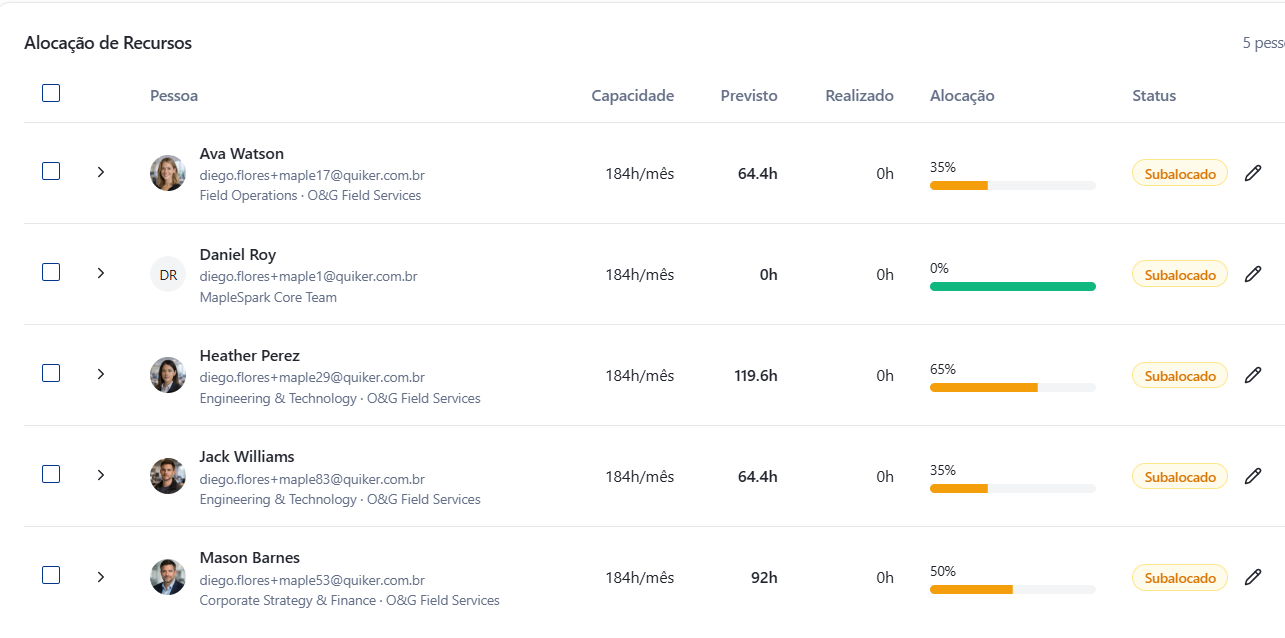
Know who's stretched before you assign the next task.
Capacity, planned hours, and actual hours sit side by side for every person on the team. You see who's overallocated and who has room before you promise a deadline you can't keep.
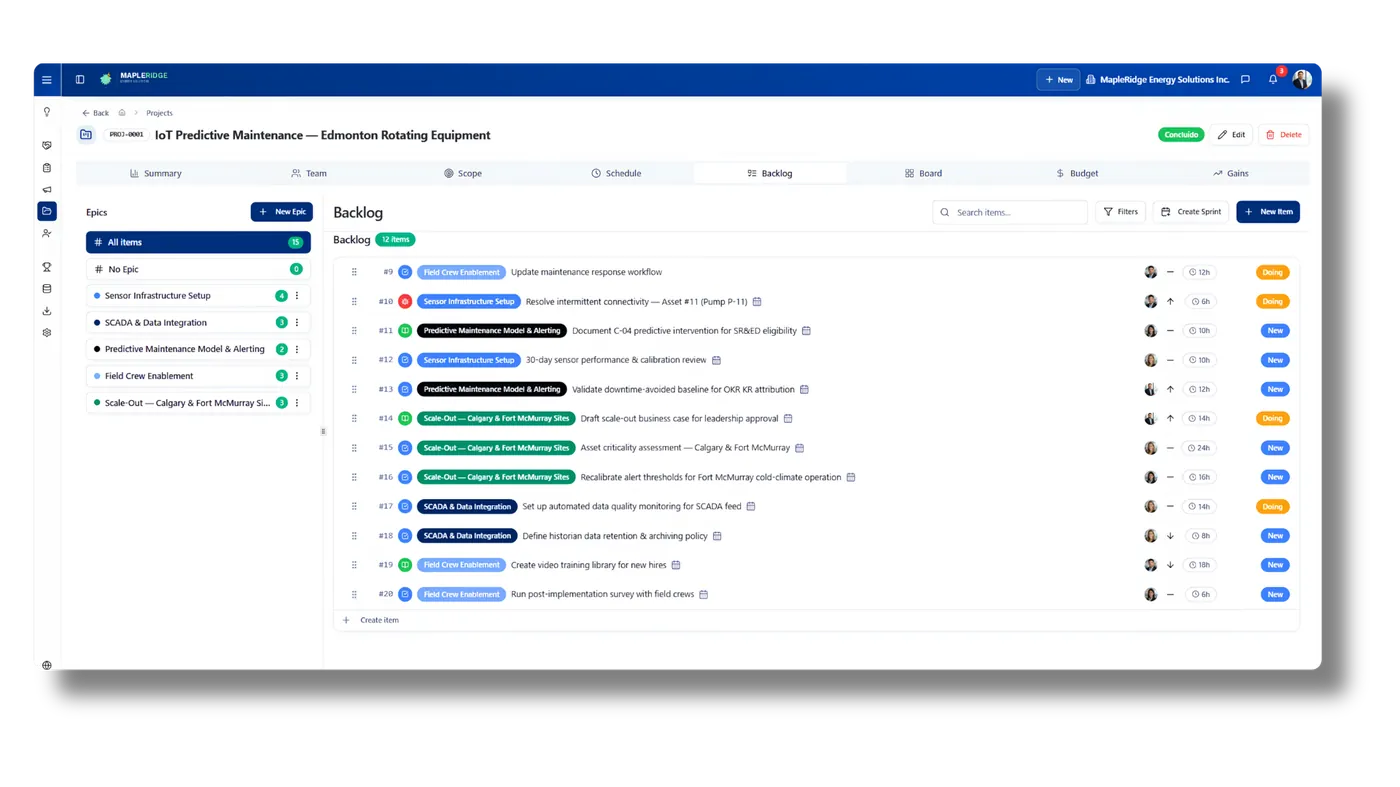
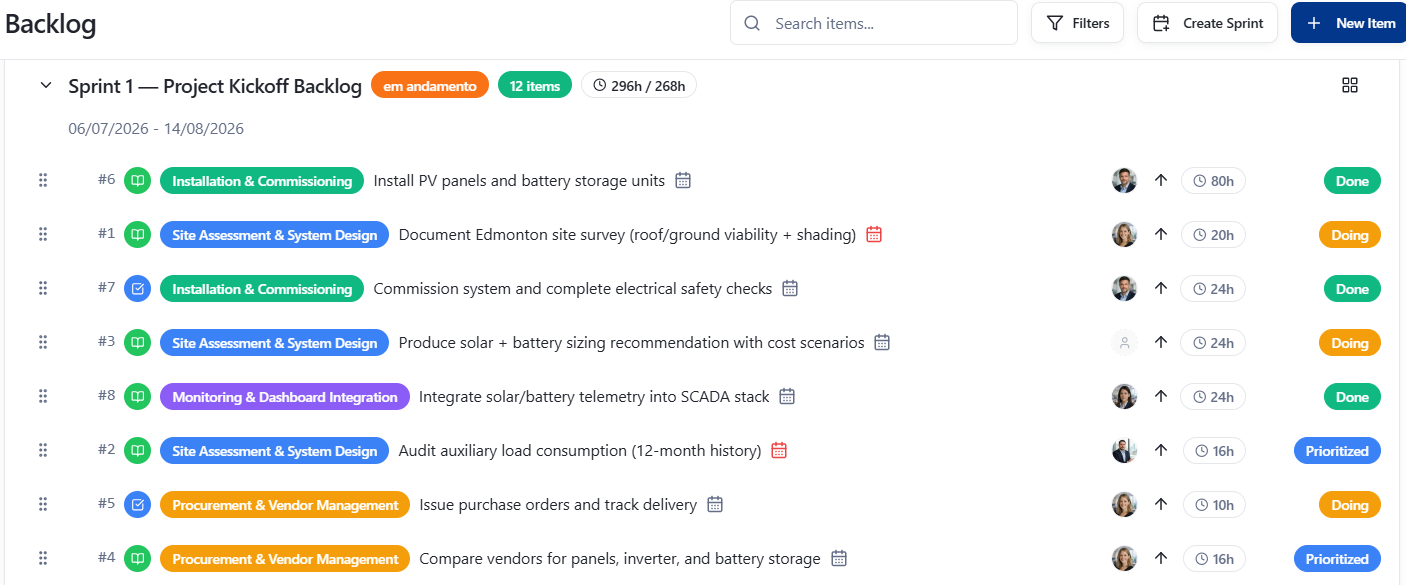
You describe the initiative. The backlog writes itself.
Tell Quiker what needs to happen in your own words, in the LLM you already have open. It comes back as items — epic, estimate, owner — already sorted into place. No blank backlog to fill in.
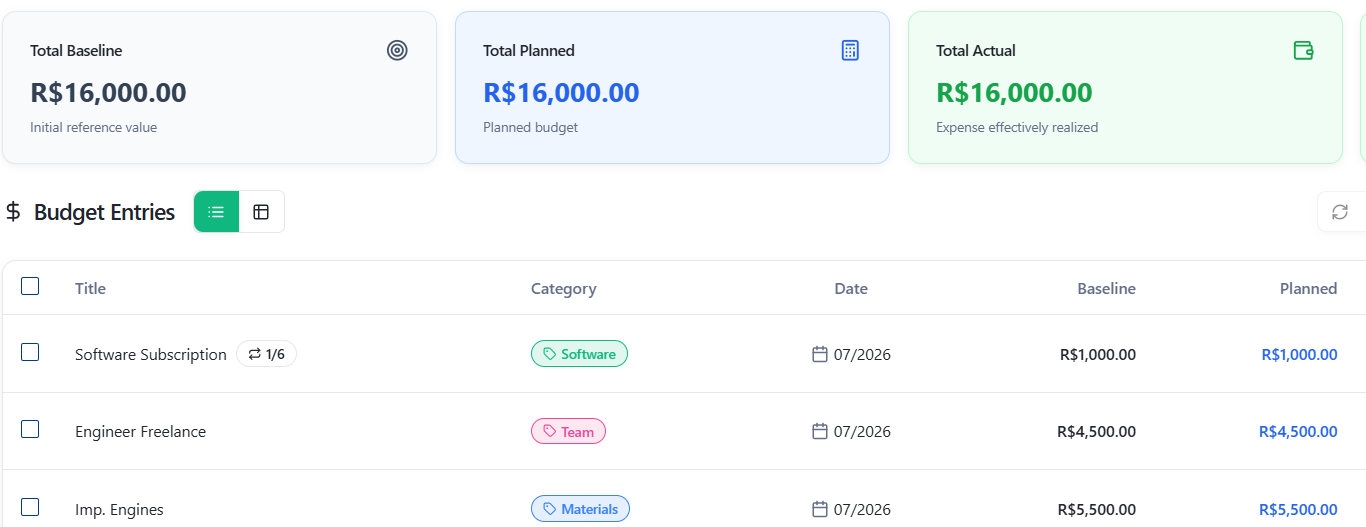
Baseline, planned, actual — already lined up.
No spreadsheet to reconcile before the budget conversation. Every entry shows what was promised, what was planned, and what was actually spent, with the gap calculated for you.
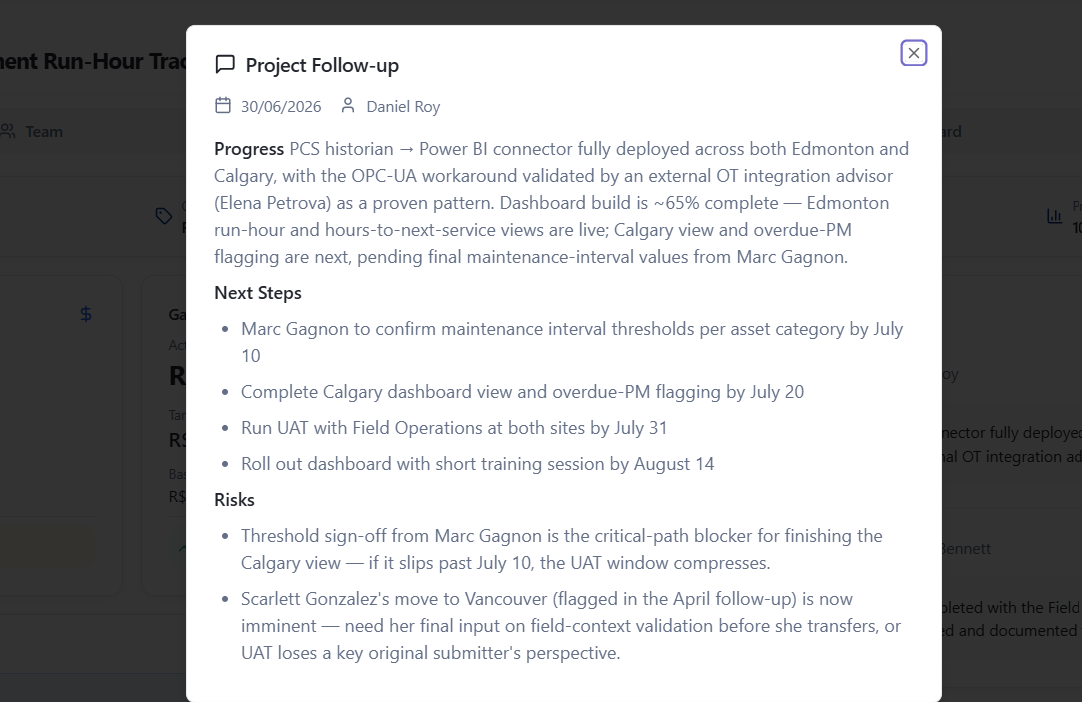
The meeting ended. The record was already written.
Every follow-up captures what was decided, who reported it, and when — pulled straight from the conversation, not typed up afterward. Scroll back and the decision is exactly where it happened.
Why teams switch to Quiker
- Plan it in chat, or let it build itself
- No preparation before status updates
- Project framework your whole team knows
- Works inside Claude, ChatGPT, and Fireflies
- First meaningful output in under 60 seconds
- No migration from your current tools
Take Quiker for a spin
A guided click-through of the surfaces your team will actually use — no signup, no setup.